

India — The demand for versatile printers for school assignments and office work is growing. Many students and professionals seek cost-effective solutions. A recent analysis identifies five printers that excel in functionality and affordability, enhancing productivity without straining budgets.
The landscape of printing technology has changed significantly, with an increasing need for multifunctional devices. The latest offerings include both inkjet and laser printers, capable of handling various tasks, from printing school projects to producing professional documents. This shift is crucial for students and office workers who require reliable printing solutions.
Efficiency and Cost-Effectiveness in Printing
Efficiency is a key factor in selecting printers. Career Ahead’s analysis shows that the right printer can reduce the time spent on assignments and reports. For example, the Epson EcoTank L130 prints up to 27 pages per minute for black and white documents, making it ideal for busy students and professionals.
Printing costs are also a major concern for students and office workers. A comparison reveals that printing at home is often cheaper than using local print shops. For instance, printing a black and white sheet at home can cost as little as ₹2, while the same sheet can cost around ₹10 at a print shop. This cost difference is significant when considering the volume of printing needed for school projects and office tasks.
The Brother HL-L2321D laser printer stands out with its automatic duplex printing feature, allowing users to print on both sides of the paper effortlessly. This not only saves paper but also reduces overall printing costs, aligning with the growing emphasis on sustainability in education and professional settings.
Printing costs are also a major concern for students and office workers.
A recent study by EasyReviewHub highlighted that students often face last-minute printing emergencies. Having a reliable printer at home can ease stress and ensure assignments are completed on time, especially during peak academic periods.
 Education & University Insights
McMahon Plans $43,000 Education Office Furniture Purchase
The department's new headquarters is in a smaller privately owned building one block south, and McMahon said the move would save about $5 million a…
Read More →The HP AI Capable Ink Advantage 4388 offers a dual-band Wi-Fi feature, enabling users to print from various devices seamlessly. This adaptability is essential in today’s interconnected world, where students and professionals often switch between laptops, tablets, and smartphones.
Top Picks for Versatile Printing Needs
The analysis identifies five standout printers that meet the needs of students and office workers. These printers deliver quality outputs and come with features that enhance usability:
- Canon PIXMA E477: An all-in-one printer that supports printing, scanning, and copying, making it a versatile choice for home and office use.
- HP DeskJet Ink Advantage 2338: Compact yet functional, with a printing speed of up to 20 pages per minute for black and white documents, suitable for quick assignments and longer reports.
- Brother HL-L2321D: Noted for its high-speed printing capabilities, reaching up to 30 pages per minute, ideal for producing large volumes of documents quickly.
- Epson EcoTank L130: Known for its cost-effective printing, it offers a maximum resolution of 5760 x 1440 dpi and low printing costs.
- HP AI Capable Ink Advantage 4388: Features advanced connectivity options, making it easy to print from multiple devices.
As highlighted by PaperCut, selecting the right printer impacts workflow efficiency. A printer that can handle multiple tasks streamlines processes, allowing students and professionals to focus on their work rather than printing logistics.
Future Trends in Printing Technology
The future of printing technology seems promising, with advancements in AI and smart technology making printers increasingly capable of handling complex tasks. For instance, printers with AI features can optimize settings based on the document type, enhancing speed and quality.
A printer that can handle multiple tasks streamlines processes, allowing students and professionals to focus on their work rather than printing logistics.
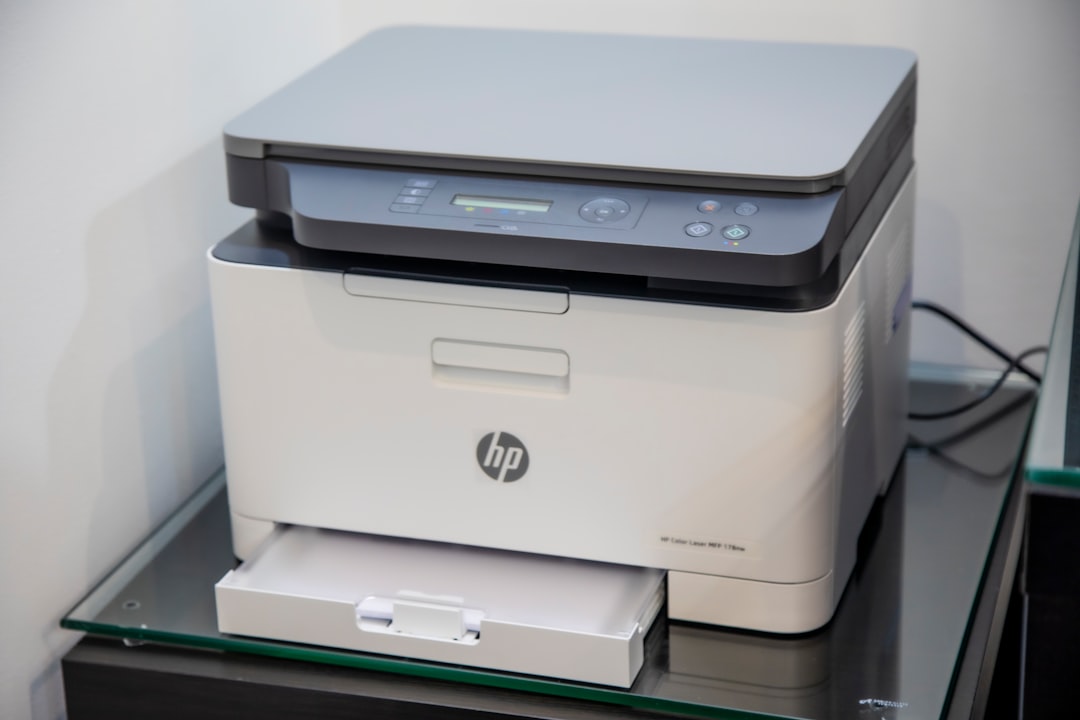
Sustainability is also a key focus in the printing industry. As consumers become more environmentally conscious, manufacturers are likely to invest in printers that use less energy and produce less waste. This shift aligns with the broader trend towards eco-friendly solutions across various sectors.
 Education & University Insights
Valmiki Jayanti School Closures Have Ended
Delhi's announced programme included discussions on Maharishi Valmiki's life and teachings; bank calendars listed different closures by city.
Read More →Career Ahead’s analysis identifies a growing trend toward cloud printing solutions, allowing users to print documents directly from the cloud without needing a local connection. This feature is particularly beneficial for students working on collaborative projects who need to print from different locations.
As technology evolves, mobile printing capabilities are expected to become standard. With the rise of remote work and online learning, being able to print directly from mobile devices will be crucial for both students and professionals.
Frequently Asked Questions
What features should office workers look for in a printer?
Office workers should prioritize printers with multifunction capabilities, such as printing, scanning, and copying. Features like automatic duplex printing and wireless connectivity can enhance productivity and efficiency in a busy work environment.
Office workers should prioritize printers with multifunction capabilities, such as printing, scanning, and copying.
How can high school students choose the right printer for their assignments?
Students should consider the printing speed, cost per page, and versatility of the printer. Models that offer both black and white and color printing, as well as scanning capabilities, can provide the best value for completing various assignments.

What are the benefits of multifunction printers for administrative tasks?
Multifunction printers streamline workflow by combining several functions into one device. This can save space, reduce costs, and increase efficiency, allowing administrative staff to handle tasks more effectively.
 Education & University Insights
Kumar Urges Colleges to Graduate Students with Work Portfolios
Kumar linked policy success to institutional capacity, while industry examples show curricula and hiring tests shifting towards applied problem-solving.
Read More →Written by Career Ahead AI. AI can make mistakes, so verify key facts. Report errors to support@careeraheadonline.com.